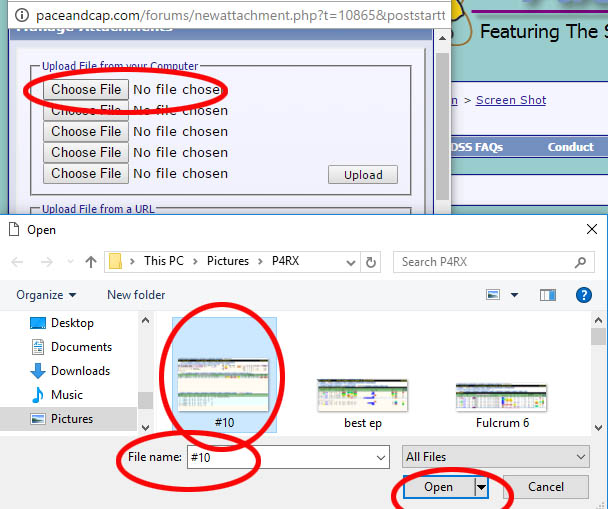
When you select Choose file another window will open , this is where you
will look for the screen shot you want to add
Find it and select it and make sure it goes into the box i have marked
then click on the OPEN button in this window. You can add 5 screen shots per post