


|
|
|
|
|
|||||||
| Google Site Search | Get RDSSGet RDSS | Sartin Library | RDSS FAQs | Conduct | Register | Site FAQ | Members List | Today's Posts | Search |
| RDSS Documentation -- All Versions Racing Decision Support System - Documentation |
 |
|
|
Thread Tools | Display Modes |
|
|
 06-25-2019, 10:27 PM
|
#1 |
|
Grade 1

Join Date: Jun 2005
Location: Nanaimo, British Columbia, Canada
Posts: 9,251
|
Tim, the fact that the current version runs fine on your Windows 7 computer, but on Win 8.1 and (for Mark, and now apparently others) not on Windows 10 - indicates that the Windows Security settings named 'SmartScreen' might be responsible for interruption of web access to TwinSpires, and thus causing a 'stalling/not responding' effect.
I have long since disabled SmartScreen on my Win 10 computers, and my older Windows Vista (pre-Windows 7) never had it and also works fine. I am gathering some info for folks on how to disable SmartScreen in their Windows Security/Firewall/Defender settings and will post them here as soon as I can. Meanwhile, anyone afflicted with sluggish or intermittent performance in RDSS V2.1.049.11 (current version) is welcomed to research disabling SmartScreen via Google, or browse around in their Windows Security Settings. Ted
__________________
RDSS - Racing Decision Support System™ |

|

|
|
06-25-2019, 10:29 PM
|
#2 |
|
Grade 1
Join Date: Jun 2005
Location: Nanaimo, British Columbia, Canada
Posts: 9,251
|
FWIW, Mark has reported to me that adding the Tote_enabled=0 setting to the Config File (i.e. disabling tote access in RDSS) has significantly improved the 'not responding' and crashing effects. (At the price of no tote info ...)
Mark, if I got that wrong, kindly update us, thanks. Ted
__________________
RDSS - Racing Decision Support System™ |
|
|
|
|
06-26-2019, 10:12 AM
|
#3 |
|
Grade 1
Join Date: Jul 2013
Location: Cleveland, Ohio
Posts: 624
|
Fatal Disk Error
Hello Ted,
I get this error fairly often when running RDSS - latest version. I have to task manager out of RDSS. I have a SSD which checks out fine and this error only pops up when using RDSS. Attached is a screen shot. Terry 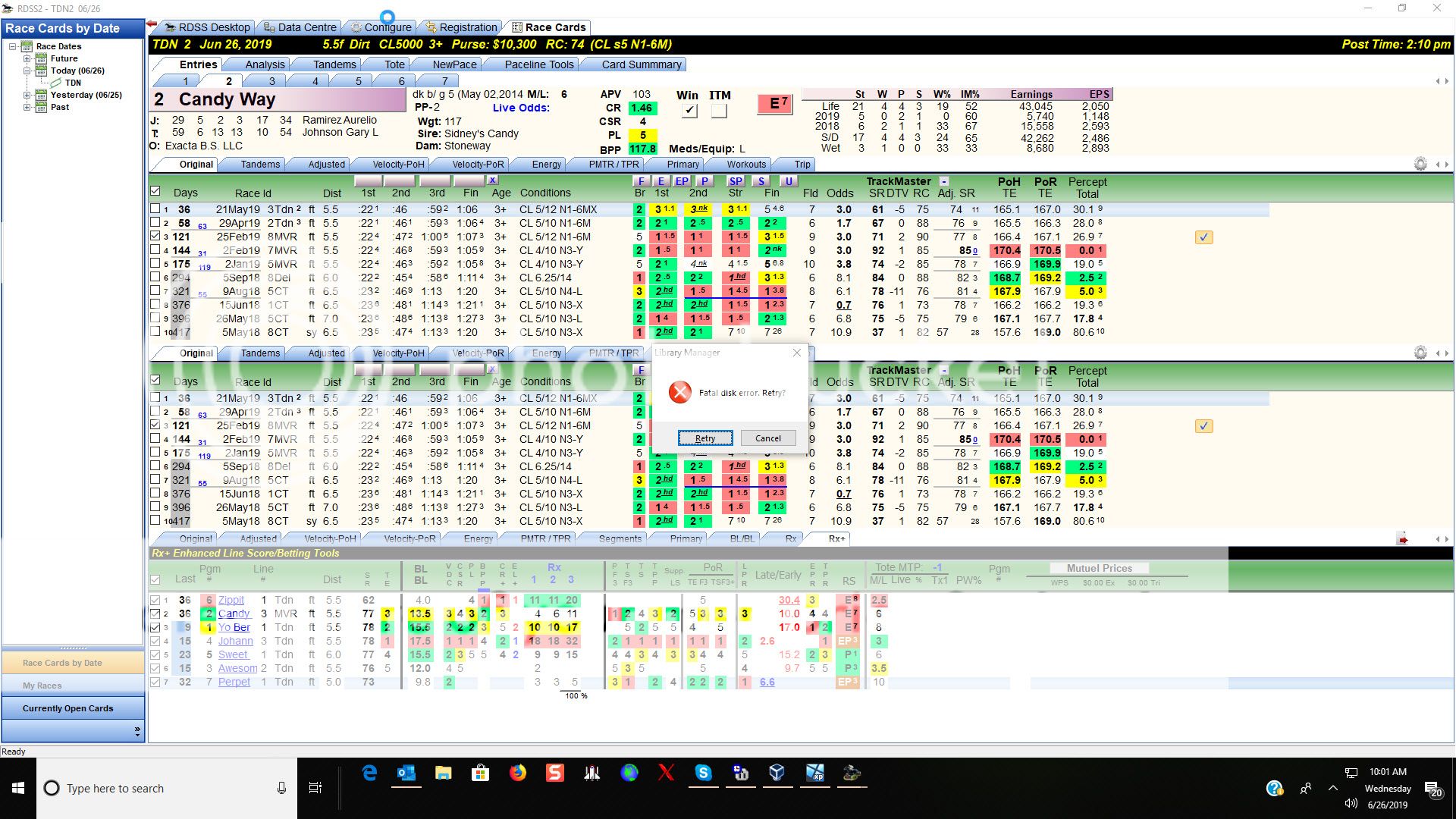
__________________
Terry |
|
|
|
|
06-26-2019, 01:34 PM
|
#4 |
|
Grade 1

Join Date: Feb 2006
Location: Escondido CA just 25 minutes from where the turf meets the surf - "...at Del Mar"
Posts: 2,498
|
I also get this many times a day.
|
|
|
|
|
06-28-2019, 05:28 PM
|
#5 | |
|
Grade 1
Join Date: Jun 2005
Location: Nanaimo, British Columbia, Canada
Posts: 9,251
|
Quote:
Tim, and Terry and Bill L - Can I ask - did this stalling, or disk failing behaviour happen from the very beginning of using V2.1.049.11 (the current version) in mid-April. Or did it just start (or accelerate) the past week or so? If the latter, it indicates something changed (again, since April) about one of the web links RDSS checks at Twinspires either for tote access or scratch updates. Or else, perhaps it indicates a change in default settings to Windows Security settings (Windows Defender, or SmartScreen) which is now imposing more strict access control over access to https://www.twinspires.com/...etc. I think this, because if the latest RDSS Version was working before, then it can only be this limited set of things which could change to cause the slowdown. If it was ALWAYS the case with this current version, it does not explain why EVERYONE does not experience the same problem. I know that's not any of your concerns - but it is for the person troubleshooting and trying to solve it (me  ). ).Could anyone recently (or always) experiencing slowness or 'not responding' problems with the current version please first try to disable the tote system (again, see http://paceandcap.com/forums/showpos...&postcount=251) and if necessary also disable Windows SmartScreen (google how). Your responses will help me troubleshoot and correct things as soon as I can. Thank you! Ted
__________________
RDSS - Racing Decision Support System™ |
|
|
|
|
|
06-28-2019, 05:30 PM
|
#6 |
|
Grade 1
Join Date: Jun 2005
Location: Nanaimo, British Columbia, Canada
Posts: 9,251
|
BTW, I am away until Monday for the Canada Day holiday weekend and will address all responses when I get back then.
Happy Canada Day to all who celebrate it! Ted
__________________
RDSS - Racing Decision Support System™ |
|
|
|
|
06-28-2019, 06:27 PM
|
#7 |
|
Grade 1
Join Date: May 2008
Posts: 117
|
Have a joyous Canada Day. Think I will enjoy it by watching the Queens Cup tomorrow and coffee at Tim Hortons on Monday. Best I can do in eastern Kentucky. Could pull out my Don Cherry bobblehead and sing "Oh Canada" but with my voice the doll might slap me.
Truly appreciate my neighbor to the north and the Fete du Canada. |
|
|
|
|
06-28-2019, 06:59 PM
|
#8 | |
|
Grade 1
Join Date: Jul 2013
Location: Cleveland, Ohio
Posts: 624
|
Quote:
Enjoy your holiday Ted.
__________________
Terry |
|
|
|
|
|
06-30-2019, 11:37 AM
|
#9 |
|
Grade 1
Join Date: Feb 2006
Location: Escondido CA just 25 minutes from where the turf meets the surf - "...at Del Mar"
Posts: 2,498
|
I would say mid April would be the start, but moreso lately. Especially the 'not responding" issue. it occurs several times a day even with only one venue open.
|
|
|
|
|
06-30-2019, 12:54 PM
|
#10 |
|
The egg man

Join Date: Jul 2008
Location: Carlsbad, California
Posts: 10,005
|
Mine is once
I just got 1 spinner yesterday and it was with many windows open
My dad has a terrible time. He gets them very often, but I must add he is still running Windows 7 On a computer that sat for a few years so updates were missed |
|
|
|


 Hybrid Mode

